

 Bonani DOSH, Dhaka - 1230, Bangladesh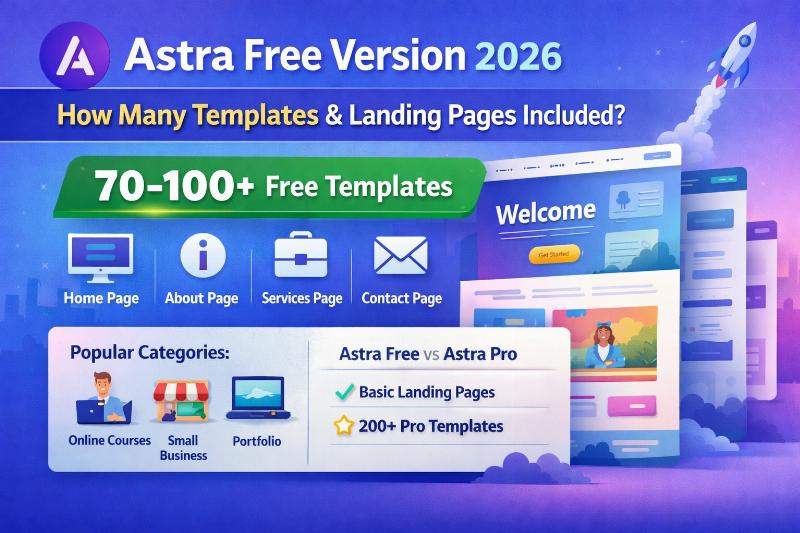

Astra Starter Templates: What Is Free and How to Import a Site
Astra does not publish a permanently fixed number of free starter templates. The library changes, and its total count can combine free and premium designs, full-site kits and individual page templates. To see what is available to your WordPress site today, use the current Starter Templates library and check the label on the exact design before importing.
Free theme, free plugin and premium templates are different things
The Astra theme and Starter Templates plugin have free options. The library also contains designs marked Premium, which require the applicable paid access. Do not read the total library count as the number included for free, or assume that every design contains the same pages or works with every builder.
Use the official free-template filter to browse the current collection. Astra's Starter Templates documentation explains the current setup flow and indicates that premium-marked designs need an upgrade. Availability and onboarding labels can change with plugin updates.
How to find and import a free design
- Back up the WordPress site, especially if it already contains pages, menus or theme settings you need.
- Install the Astra theme if it fits the site, then install and activate the official Starter Templates plugin.
- Open Appearance → Starter Templates (the exact menu can vary by plugin version) and select the classic library if offered.
- Filter for free designs and inspect the individual template card for its builder, required plugins and premium label.
- Preview the design and confirm whether it is a full website, a page template or another import type.
- Import to a staging site first where possible. Review pages, menus, images, widgets, plugins and site settings before replacing or publishing existing content.
What to verify before choosing
- Builder compatibility: Confirm whether the template uses the block editor, Elementor or another supported builder, and whether the required version is available to you.
- Import scope: A full-site import can add multiple pages and settings; a single-page template is narrower. Read the current import prompt.
- Licensing and images: Check the usage terms for any demo assets you plan to keep. Replace placeholder text and imagery with content you have permission to use.
- Accessibility and mobile: Test headings, contrast, keyboard navigation, forms and mobile layouts after import; a starter design is not a guarantee of compliance.
- Updates: Recheck the library and plugin documentation when repeating this process, because the catalog and interface can change.
If a project involves several WordPress sites, first assess whether WordPress Multisite is appropriate; a template import and a multisite network solve different problems.
Bottom line: There is no dependable fixed free-template count to quote. Filter the live library, confirm the exact design's price and builder requirements, and test the import on a backup or staging site before using it on a live website.
2026 Implementation Roadmap: High-Converting WordPress Landing Pages & Core Web Vitals Optimization
Turning strategy into measurable business growth requires a disciplined execution workflow. Across client engagements at Make Anything Simple, teams that outperform their competitors consistently focus on three pillars: clean technical foundations, first-party conversion measurement, and iterative creative or content testing. Rather than launching isolated tactics, use the phased roadmap below to align every campaign and page update with revenue outcomes.
Phase 1: Baseline Audit & Technical Readiness (Weeks 1?2)
- Search & UX Diagnostics: Audit existing landing pages for crawlability, indexation hygiene, mobile responsiveness, and Core Web Vitals (LCP under 2.5s, INP under 200ms, CLS below 0.1).
- Signal Integrity & Attribution: Verify that every primary conversion action?lead form submissions, WhatsApp/Messenger inquiries, checkout steps, and phone clicks?fires with deduplicated browser and server event IDs via Custom WordPress Development.
- Offer & Intent Alignment: Map each target keyword or audience segment to a dedicated page with a single primary call-to-action rather than sending paid or organic traffic to generic catch-all pages.
Phase 2: Structured Execution & Creative Testing (Weeks 3?6)
Once tracking and landing page fundamentals are verified, shift focus to controlled production velocity. Document every hypothesis before publishing new assets:
- Define the Primary KPI: Separate leading indicators (scroll depth, hook hold rate, qualified click-through rate) from lagging business metrics (cost per qualified lead, customer acquisition cost, and net ROAS).
- Build Modular Assets: Structure page sections and ad creatives modularly?headline hook, proof block, objection handler, and risk-reversal CTA?so individual elements can be swapped without rebuilding from scratch.
- Internal Linking & Funnel Continuity: Connect informational guides directly to commercial solution pages such as Web Design Services and transparent package comparisons on Web Design Pricing so high-intent visitors can act immediately.
Key Performance Indicators (KPIs) to Monitor Monthly
Avoid vanity metrics that mask inefficient spend or low-intent traffic. Review the following scorecard during weekly and monthly growth reviews:
- Qualified Conversion Rate (CVR): Percentage of sessions that result in a verified sales inquiry, booking, or completed checkout.
- Event Match & Attribution Quality: Consistency between ad platform reported conversions, GA4 key events, and actual CRM or backend orders.
- Content & Landing Page Indexation Ratio: Share of published URLs that earn active impressions and clicks in Google Search Console without canonical conflicts or thin-content flags.
- Payback Period & LTV:CAC Ratio: Time required for gross margin from acquired customers to recover initial marketing and production investment.
Common Pitfalls That Stall Growth (And How to Fix Them)
When campaigns or organic pages plateau, the root cause is rarely a single algorithm change. In most audits, performance drops trace back to one of four operational gaps:
- Fragmented Tracking: Running paid campaigns or publishing content without server-side event validation leads to blind budget allocation. Pair your funnel with Tracking & Analytics Services to keep data reliable.
- Slow or Cluttered Landing Experiences: Heavy scripts, unoptimized images, and unclear pricing create friction on mobile networks. Explore our Web Design Services to build fast, conversion-focused layouts.
- Inconsistent Follow-Up Speed: Leads contacted within five minutes convert at significantly higher rates than leads contacted hours later. Automate instant confirmation and routing across web, WhatsApp, and Messenger.
- Unstructured Scope & Budgeting: Scaling without clear deliverables creates bottlenecks. Review standardized deliverables and turnaround times on our Web Design Pricing page before kicking off your next sprint.
Frequently Asked Questions
How long does it take to see measurable results from High-Converting WordPress Landing Pages & Core Web Vitals Optimization?
Technical fixes, tracking repairs, and landing page conversion improvements typically show measurable lift within 14 to 30 days. Compounding organic search authority and multi-channel customer acquisition pipelines generally mature over a 60-to-90-day testing cycle.
Should we prioritize traffic volume or conversion rate optimization first?
Always fix conversion readiness and measurement accuracy first. Doubling conversion efficiency from 1.5% to 3.0% immediately halves your effective acquisition cost across every future traffic source?organic, paid, and referral.
How can Make Anything Simple help implement this workflow?
Our team handles end-to-end strategy, technical implementation, creative production, and ongoing optimization. You can explore our Web Design Services, compare transparent packages on Web Design Pricing, or contact our team for a tailored audit and implementation roadmap.

