

 Bonani DOSH, Dhaka - 1230, Bangladesh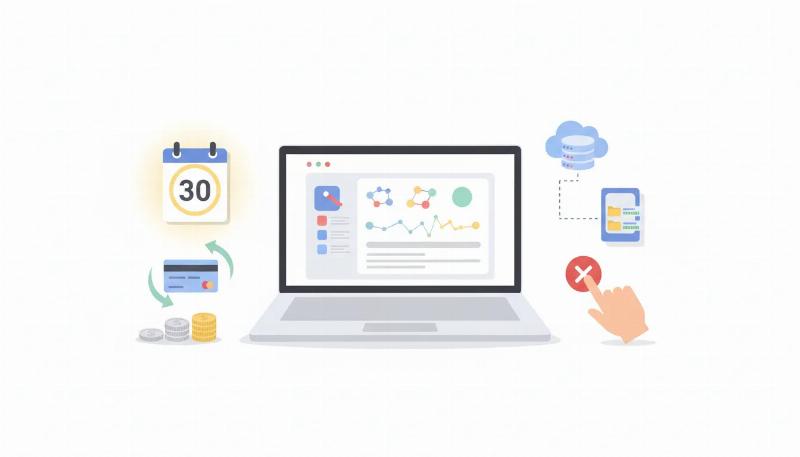

Hostinger Refund Policy: Eligibility & Steps
Hostinger’s refund rules depend on the product, purchase or renewal, payment method and any product-specific exception. The 30-day money-back guarantee is not a promise that every Hostinger charge can be refunded. Check the eligible invoice in your account and read the current Hostinger refund policy before submitting a request. If you are still comparing providers, see our web-hosting comparison.
Which services may qualify?
Hostinger’s current policy lists new purchases and renewals of Web, Cloud, KVM VPS and Game Panel hosting; new purchases, renewals and upgrades of Hostinger Email and Titan Email; and upgrades of Web or Cloud hosting as services covered by the 30-day guarantee, subject to the stated conditions. Cryptocurrency, tokens and digital-asset purchases are not refundable under that policy.
Other exclusions and shorter windows apply. For example, Hostinger lists domain renewals, completed transfers, redemption fees and most country-code domain registrations—including .uk and .co.uk—as non-refundable. Many new generic domain registrations have a 96-hour window instead. Some included free domains may have their price deducted from a hosting refund while you keep the domain for the remaining registration period. The full refund policy is the authority for the exact product and domain rules; the Refund button shown for your invoice is the practical eligibility check.
Before requesting a refund
- Download a full copy of the website files, databases, email and configuration you need. Hostinger says the request cancels the service and associated data is permanently lost; a refund request cannot be reversed.
- Check whether the invoice and exact service show a Refund option. Do not assume the same date window applies to every add-on, domain or payment.
- If the plan included a domain, read its specific eligibility and deduction terms before proceeding.
How to submit the request
- Sign in to the Hostinger account that made the purchase.
- Open Billing and find the Paid Invoices list. Locate the relevant payment ID/invoice and check whether a Refund button is available.
- Select Refund and review which service will be canceled and what data will be deleted. Stop here if you have not completed your backup.
- Choose the reason if requested, then select the refund destination offered for that payment: Hostinger Balance or the original payment method.
- Review the amount and service, submit the request, and check Billing → Refund History for its status.
Hostinger says Balance refunds are available instantly for future Hostinger purchases and cannot later be returned to the original payment source. Original-payment refunds vary by payment method—from hours to several business days and, in uncommon cases, longer. This is why a fixed “7–14 business days” estimate should not be treated as a universal promise.
What if there is no Refund button?
The product may be outside its refund window, excluded by policy, paid using an ineligible method, or subject to a special term. Confirm the exact invoice against Hostinger’s policy and contact Hostinger Support if the account display and policy appear inconsistent. This guide does not claim a personally tested refund or a Bangladesh-specific payment outcome; the actual options depend on the invoice and payment method shown in the account.
Official sources and update note
Policy checked against Hostinger’s refund policy and refund-request instructions on 8 October 2026. Hostinger may change eligibility or dashboard labels; follow the current instructions displayed in your account.
2026 Implementation Roadmap: Web Hosting Selection, Migration & Infrastructure Planning
Turning strategy into measurable business growth requires a disciplined execution workflow. Across client engagements at Make Anything Simple, teams that outperform their competitors consistently focus on three pillars: clean technical foundations, first-party conversion measurement, and iterative creative or content testing. Rather than launching isolated tactics, use the phased roadmap below to align every campaign and page update with revenue outcomes.
Phase 1: Baseline Audit & Technical Readiness (Weeks 1?2)
- Search & UX Diagnostics: Audit existing landing pages for crawlability, indexation hygiene, mobile responsiveness, and Core Web Vitals (LCP under 2.5s, INP under 200ms, CLS below 0.1).
- Signal Integrity & Attribution: Verify that every primary conversion action?lead form submissions, WhatsApp/Messenger inquiries, checkout steps, and phone clicks?fires with deduplicated browser and server event IDs via Custom Web Development Services.
- Offer & Intent Alignment: Map each target keyword or audience segment to a dedicated page with a single primary call-to-action rather than sending paid or organic traffic to generic catch-all pages.
Phase 2: Structured Execution & Creative Testing (Weeks 3?6)
Once tracking and landing page fundamentals are verified, shift focus to controlled production velocity. Document every hypothesis before publishing new assets:
- Define the Primary KPI: Separate leading indicators (scroll depth, hook hold rate, qualified click-through rate) from lagging business metrics (cost per qualified lead, customer acquisition cost, and net ROAS).
- Build Modular Assets: Structure page sections and ad creatives modularly?headline hook, proof block, objection handler, and risk-reversal CTA?so individual elements can be swapped without rebuilding from scratch.
- Internal Linking & Funnel Continuity: Connect informational guides directly to commercial solution pages such as Website Maintenance & Hosting Support and transparent package comparisons on Web Development & Maintenance Pricing so high-intent visitors can act immediately.
Key Performance Indicators (KPIs) to Monitor Monthly
Avoid vanity metrics that mask inefficient spend or low-intent traffic. Review the following scorecard during weekly and monthly growth reviews:
- Qualified Conversion Rate (CVR): Percentage of sessions that result in a verified sales inquiry, booking, or completed checkout.
- Event Match & Attribution Quality: Consistency between ad platform reported conversions, GA4 key events, and actual CRM or backend orders.
- Content & Landing Page Indexation Ratio: Share of published URLs that earn active impressions and clicks in Google Search Console without canonical conflicts or thin-content flags.
- Payback Period & LTV:CAC Ratio: Time required for gross margin from acquired customers to recover initial marketing and production investment.
Common Pitfalls That Stall Growth (And How to Fix Them)
When campaigns or organic pages plateau, the root cause is rarely a single algorithm change. In most audits, performance drops trace back to one of four operational gaps:
- Fragmented Tracking: Running paid campaigns or publishing content without server-side event validation leads to blind budget allocation. Pair your funnel with Tracking & Analytics Services to keep data reliable.
- Slow or Cluttered Landing Experiences: Heavy scripts, unoptimized images, and unclear pricing create friction on mobile networks. Explore our Web Design Services to build fast, conversion-focused layouts.
- Inconsistent Follow-Up Speed: Leads contacted within five minutes convert at significantly higher rates than leads contacted hours later. Automate instant confirmation and routing across web, WhatsApp, and Messenger.
- Unstructured Scope & Budgeting: Scaling without clear deliverables creates bottlenecks. Review standardized deliverables and turnaround times on our Web Development & Maintenance Pricing page before kicking off your next sprint.
Frequently Asked Questions
How long does it take to see measurable results from Web Hosting Selection, Migration & Infrastructure Planning?
Technical fixes, tracking repairs, and landing page conversion improvements typically show measurable lift within 14 to 30 days. Compounding organic search authority and multi-channel customer acquisition pipelines generally mature over a 60-to-90-day testing cycle.
Should we prioritize traffic volume or conversion rate optimization first?
Always fix conversion readiness and measurement accuracy first. Doubling conversion efficiency from 1.5% to 3.0% immediately halves your effective acquisition cost across every future traffic source?organic, paid, and referral.
How can Make Anything Simple help implement this workflow?
Our team handles end-to-end strategy, technical implementation, creative production, and ongoing optimization. You can explore our Website Maintenance & Hosting Support, compare transparent packages on Web Development & Maintenance Pricing, or contact our team for a tailored audit and implementation roadmap.