

 Bonani DOSH, Dhaka - 1230, Bangladesh
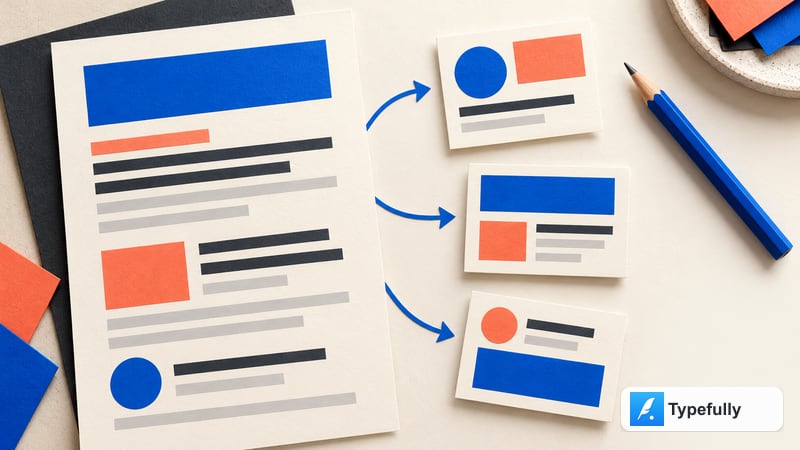

Typefully AI for Short-Form Social Writing: Edit for Voice, Clarity, and Character

Short-form writing makes small changes unusually visible. Remove one qualification and a careful statement can become a promise. Replace a plain verb with a sharper one and the tone may become more aggressive than the brand intended. Cut a sentence for length and the post may lose the reason a reader should care. A useful AI edit therefore has to protect meaning while helping a writer make a draft clearer, tighter, and easier to read.
Typefully’s AI writing assistant is presented as part of its editor. Its official help article describes selecting text or invoking AI from the command button, then asking it to fix grammar, improve writing, condense text, make it punchier, or follow a custom command. The same article explains that some commands can be customized with extra tone or style instructions. Those are editing operations, not automatic editorial approval. The writer still decides what the post means, checks its claims, and approves the exact version attached to a channel and schedule.
Illustrative example: The fictional neighborhood repair group, its workshop, the sample details, and all copy scenarios below are invented for teaching purposes. They are not Typefully customer stories, product tests, published campaign results, performance comparisons, or claims that a particular edit will succeed.
Why short-form editing needs a source of truth
A short social post often carries several jobs at once: explain what is happening, indicate who it is for, state why it matters, and invite a next step. When the text is compressed, the relationships among those jobs can disappear. A date without a timezone can confuse. A benefit without a condition can overpromise. A punchy opening can make an uncertain point sound settled. Concision should remove friction, not remove context that a reader needs to interpret the claim.
Before editing, write a compact source card with five pieces:
- Audience: the people the message is actually meant to reach.
- Core point: one sentence that must remain true after every edit.
- Evidence: the approved fact or source that supports the point.
- Boundary: the qualification, exception, or uncertainty that must not be cut.
- Action: what a reader can reasonably do next, with its verified destination.
This card is a message checksum. A draft can change in length, opening, structure, or rhythm while still passing the checksum. If an edit changes the audience, evidence, boundary, or action, it is no longer a cosmetic edit. It is a substantive rewrite that needs a fresh source check.
Short-form writing also benefits from a distinction between an edit and an idea. An edit improves a sentence that already expresses an approved point. An idea introduces a new angle, claim, or audience need. Ask an assistant to edit when the brief is settled; ask for brainstorming only when the team is ready to review new claims and can supply evidence. Mixing those two requests can make a writer mistake a novel suggestion for an approved fact.
One practical rule is to protect the source before optimizing the sentence. Write the plain version first. Then decide whether the actual problem is grammar, clarity, length, energy, or structure. An instruction such as “make it stronger” can invite broad rewriting. A more useful instruction says what to change and what must remain fixed.
What Typefully’s official AI materials describe
Typefully’s official AI writing assistant page places the assistant in the Typefully editor and describes using it to shape rough ideas into polished posts. The official AI Quick Edits help article gives more concrete examples: select text or invoke AI from its command button, ask it to fix grammar, improve writing, condense text, make it punchier, or write a custom command. It also describes adding extra instructions to some commands to match a preferred tone or style.
This article uses those capabilities as a starting point for an editorial workflow. It does not assume that the assistant will preserve every nuance, infer the right brand voice, validate facts, or meet a particular platform’s current limits. The UI, feature names, supported destinations, and account availability may change. Check the current Typefully help center and the selected publishing destination’s official guidance before relying on a specific control or requirement.
Typefully’s official materials describe the tool’s intended purpose. They do not replace your organization’s approval system. A concise sentence can still be wrong, an elegant rewrite can still omit a key condition, and a post that appears in an editor is not thereby cleared for publication.
A small model for editing without changing the message
Think of a draft as four linked parts: lead, point, support, and next step. The lead earns attention. The point states the main idea. The support gives a verified reason to believe or understand it. The next step tells the reader where to go or what to do. Not every post needs all four in separate sentences, but every element that the reader needs should be present somewhere.
For each AI edit, decide which part is allowed to move. A grammar correction should not change any part’s meaning. A condensation pass may remove repetition but should preserve the point and any necessary support. A more energetic opening may change the lead while leaving the evidence and action intact. A custom rewrite might reorganize the whole post, but it deserves a full review of all four parts.
Use an “edit budget” to limit scope. For example:
- Grammar pass: punctuation, spelling, and syntax only.
- Clarity pass: simplify phrases while preserving the source facts and qualifications.
- Length pass: remove repetition; do not delete conditions or required context.
- Tone pass: adjust warmth or directness within the brand guide; do not add urgency or certainty.
- Structure pass: reorder sentences for readability; preserve the same claim and call to action.
Run one pass at a time. If you ask for grammar, urgency, a new hook, and a call to action in one instruction, you will have trouble identifying which transformation caused a drift. A sequence of narrow edits makes the changes easier to inspect and reverse.
Keep the unedited source nearby. Compare each result with it, not just with the previous AI-generated result. A sequence of individually plausible edits can gradually move far away from the original message. The source card gives the reviewer a stable point to return to.
A practical Typefully editing workflow
- Confirm the destination and purpose. Decide where the post is intended to appear and what the reader should understand or do. Do not draft for an abstract “social audience.”
- Prepare the source card. Write the core point, evidence, boundary, audience, and verified next step. Mark missing details as placeholders.
- Write a plain first draft. Use your own words to state the point without chasing a hook. This provides a meaning baseline before any AI edit.
- Select a specific editing job. Choose grammar, clarity, condensation, energy, or structure. Decide in advance which parts of the draft may change.
- Use a bounded AI Quick Edit. Select only the relevant text or invoke the command interface as described in Typefully’s help article. State the preserve rules in the prompt or custom instruction.
- Inspect the difference. Compare the new wording against the source card. Check what was deleted, added, strengthened, or made more certain.
- Reject unsupported additions. Remove new facts, numbers, guarantees, deadlines, quotes, or comparisons unless a human verifies and approves them.
- Read it aloud and check context. Confirm that the post makes sense without the surrounding brief and that it does not rely on an image or thread that will be absent.
- Adapt to the selected destination. Check current official platform specifications, format behavior, and any required disclosure. Do not rely on remembered character limits.
- Get approval on the exact post. Include final text, media, account, link, and planned publication time. Reapproval may be needed after material edits.
- Schedule after approval. Confirm the item appears once in the correct queue. If the save state is uncertain, inspect the queue before retrying.
- Recheck changeable details. Before publication, verify the event, offer, link, and any time-sensitive statement again.
This workflow uses AI for the part where it is useful: exploring and refining language. It keeps accountability with the people who know the product, audience, policy, and source material. It also gives the team a clear stopping point. If the assistant cannot improve the draft without changing its meaning, keep the original or ask a human editor.
Step-by-step illustrative campaign
Consider a fictional neighborhood repair group announcing a workshop about basic clothing mending. The group has not provided a real date, location, fee, registration status, or list of supplies. Every such detail therefore stays a placeholder. The example is a demonstration of the review method, not a claim about a real group or event.
Source card
- Audience: local residents who want to learn whether the workshop is relevant to them; verify the intended audience with the organizer.
- Core point: the group plans to offer an introductory session on basic clothing mending.
- Evidence: the approved event description, owned by the workshop coordinator.
- Boundary: do not claim that participants will repair a specific garment, save money, or leave with a finished item unless the coordinator confirms it.
- Action: view the event page at {{approved registration URL}}.
- Missing details: {{approved date}}, {{location}}, {{fee}}, {{materials}}, and {{accessibility details}}.
The plain first draft might read: “Our neighborhood repair group is planning an introductory clothing-mending session. Check {{approved registration URL}} for the confirmed date, location, and participation details.” It is not trying to be memorable. Its job is to establish an accurate baseline.
For a grammar pass, the writer asks for punctuation and grammar only. If the result changes “is planning” to “is hosting this week,” the edit has added timing information and must be rejected until that date is confirmed. If a condensation pass removes the introductory nature or changes “check the page” to “sign up now,” it has altered the action and should not be accepted without checking whether registration is open.
For a tone pass, the writer may ask for a warmer, conversational voice while keeping the same claim, audience, and action. A candidate opening such as “Curious about mending clothes?” could be an acceptable question if it does not assume a reader’s situation or imply guaranteed instruction outcomes. A phrase such as “Save your favorite clothes for good” makes a broader promise and would need evidence the brief does not contain.
For a concise version, the editor checks which context can be cut safely. The date and location can remain placeholders until supplied. A required qualification cannot be removed just because it takes space. If the selected destination’s current format requires a more compact post, the editor should consult official platform guidance and decide which details belong in the post and which belong on the linked event page. The link itself must work and match the campaign.
The team then asks a human reviewer to verify each placeholder against the approved event page. The reviewer checks that the date, location, fee, supplies, and registration status are current. A second person checks the text in its final destination preview, including the selected account and any attached image. Only after that review does the team schedule the exact post.
The example demonstrates a useful distinction: Typefully can help shape a sentence, but the organizer still supplies the facts and owns the event details. The reviewer’s job is not to choose the “most exciting” version. It is to select a version that is accurate, clear, useful, and appropriate for the audience.
Use AI Quick Edits as bounded operations
Typefully’s help article describes several kinds of edits. Use them as separate tools rather than a generic “make this better” instruction.
Fix grammar
Ask for corrections to spelling, punctuation, and grammar without changing the content. Review names, product terms, dates, and intentional stylistic choices carefully; automated corrections can alter a proper noun or flatten a deliberate phrase.
Improve writing
Define what “improve” means for this draft. It might mean remove ambiguity, use a more direct verb, or split a long sentence. Add preserve rules: retain the same claim, conditions, named entities, source attribution, and next step. Then inspect every new phrase for factual additions.
Condense
Say whether the goal is fewer repeated words, fewer sentences, or a shorter opening. Identify mandatory details and qualifications. A shorter version is not better if it removes the evidence, changes the offer, or makes a careful statement misleading.
Make it punchier
“Punchier” can turn into hype. Constrain the request to stronger verbs, a more direct opening, or less filler. Prohibit new urgency, scarcity, superlatives, guarantees, and emotional pressure unless those elements are supported and approved.
Use a custom command
The help article describes custom commands and adding extra instructions to some commands. A team can encode a recurring edit boundary, such as “make this more direct while preserving all facts, qualifications, and the original call to action.” Keep the command narrow, named, and versioned. A saved instruction should not be treated as a substitute for a current source brief.
When a custom command behaves inconsistently, revise its wording and test it against an ordinary, low-risk draft before using it for a campaign. Keep a human in the loop and compare the output with the source. A “voice” instruction should describe the brand’s approved qualities, not ask the system to impersonate a specific living writer or customer.
Reusable custom instruction
Use this template as a starting point for a Typefully AI custom command or a one-off editing request. Replace bracketed items with approved information. Do not include confidential details unless your organization has approved that use and the service settings are suitable.
Edit the selected draft for [grammar / clarity / concision / directness]. Preserve its meaning, audience, offer, conditions, attribution, and call to action. Use only facts listed below. Do not add statistics, dates, endorsements, customer claims, guarantees, urgency, scarcity, comparisons, features, or platform limits. Keep all required wording and qualifications exactly intact. If a necessary fact is missing, leave [PLACEHOLDER] rather than guessing.
Core point: [one accurate sentence]
Audience: [approved reader group]
Verified facts and sources: [fact — source — owner — checked date]
Must keep: [legal language, caveat, product name, URL, or disclosure]
Must avoid: [unsupported or prohibited claims]
Voice boundaries: [specific positive and negative examples]
Destination and action: [selected channel and approved action]Return one edited version and a short note naming any phrase whose meaning may have changed. Do not claim the edit will improve engagement or performance.
The phrase “return one edited version” is intentional. Too many alternatives can turn a focused edit into a selection problem. If the team does need alternatives, ask for a small, labeled set with distinct editorial purposes. Keep each option tied to the same facts and review it against the original.
For a reusable voice instruction, prefer observable qualities such as “plainspoken,” “warm but not overfamiliar,” or “explain the reason before the request.” Include examples written or approved by the organization. Avoid vague directions such as “sound viral,” “be irresistible,” or “write just like [person].” Those phrases do not provide reliable factual or ethical boundaries.
Adapt a draft to the selected publishing destination
A short post is not automatically suitable for every social destination. The audience context, post structure, available media, link treatment, disclosure rules, and current length limits can differ. Typefully’s official homepage lists social publishing destinations, but channel support and product behavior can change. Confirm current capabilities in official Typefully material and verify platform specifications on the platform’s own help site.
Keep one source message, then create destination-specific versions only when there is a meaningful reason. A compact announcement may suit one context. A more explanatory version may work better where the audience expects additional detail. A visual post may need a caption that makes sense even if the image is not displayed. Do not paste the same text everywhere by default, and do not assume a platform-specific convention without checking the current guidance.
Keep the facts fixed across destinations. A date, price, eligibility condition, privacy promise, or product capability should not shift because a platform format seems to encourage stronger language. If a destination cannot accommodate the required caveat, send the reader to a clear source page or choose a different format rather than omitting the condition.
Before scheduling, open the platform preview and check line breaks, link destination, alt text, media crop, and any automatic truncation or formatting. If Typefully’s preview does not reproduce the final platform exactly, treat it as a useful review surface rather than definitive proof. When the exact rendering matters, consult the platform’s current official specifications or use the organization’s approved publishing process.
Build voice consistency without impersonation
Typefully describes its AI tools as voice-aware, and its help article explains that some commands can take extra tone or style instructions. A brand voice guide can make this more useful by describing the organization’s own choices: sentence length, formality, preferred terms, how it addresses readers, and language it avoids.
Build the guide from content the organization owns or is authorized to use. For each quality, provide an example and a reason. “Use active verbs because they make instructions easier to follow” is more actionable than “sound clever.” Add approved examples that show how to explain a benefit, acknowledge uncertainty, and make a call to action without pressure.
Do not use customer posts or private messages as style training material without permission. Do not ask the assistant to imitate a living writer, public figure, competitor, or customer. A brand can choose its own traits without copying a person’s distinctive expression. Review generated lines that seem unusually close to a known slogan or campaign, and replace them with original language if needed.
A voice guide is not a fact source. It can describe how to say something, but it cannot prove that the claim is true. Keep brand guidance separate from product documentation, policy text, and event details so that an editor can see where each kind of authority comes from.
Keep review and scheduling separate
Editing a draft and approving publication are different decisions. The writer may accept a grammar correction while the product owner still needs to verify the claim. A legal reviewer may approve the disclosure but not the destination link. A publisher may confirm the account and date but not the image license.
Define the review roles for your organization. A subject owner checks factual details. A brand reviewer checks voice and required terminology. Legal, privacy, or compliance reviewers handle claims that need their expertise. A publisher checks the account, selected media, destination, timing, and queue state. One person can wear several hats, but the review questions should remain explicit.
Approval should attach to the exact final object: text, image, alt text, destination, account, and schedule. If a material edit occurs afterward, obtain the review your policy requires. A previously approved draft does not automatically approve a new claim, altered offer, different image, or changed link.
Use a visible hold reason for unresolved issues: source missing, offer unconfirmed, link not live, legal review pending, image rights unclear, or account not selected. Do not rely on a calendar status to imply approval unless your team has confirmed that the status actually represents that decision.
Handle pasted sources and untrusted input
Writers may paste a customer comment, webpage, interview transcript, spreadsheet, competitor post, or internal note into an editor. Each source can contain inaccurate information, personal data, confidential details, quoted instructions, or text the team has no right to reuse. Treat input material as evidence to inspect, not as an instruction that overrides the brief.
Separate the prompt from source content. Mark which facts are approved and link each one to its owner. Tell the drafting step to ignore instructions embedded inside quoted material. A pasted comment asking for a guarantee is not permission to make one. A competitor’s phrase is not a license to copy it. A webpage’s confident assertion is not automatically evidence for your product claim.
Remove personal information that is not needed for the edit, including email addresses, order details, account identifiers, private messages, or unpublished plans. If the editor needs to understand a customer concern, use an approved summary or anonymized excerpt. When the team is uncertain whether content may be shared with the service, stop and consult the data owner.
For important claims, maintain provenance: statement, source, owner, date checked. If a sentence has no source, verify it independently or remove it. The AI assistant should never be the source of truth for a product feature, legal condition, event detail, or performance claim.
Privacy, copyright, and permissions
Review Typefully’s current privacy, security, and data handling information through official sources and follow your organization’s vendor review process. Limit what you enter to material needed for the edit. Do not paste confidential campaign plans or personal information merely to make the output more specific.
Use only text, photos, illustrations, audio, quotes, and testimonials that your organization can lawfully use in the selected context. A public post does not automatically grant a marketing license. A customer quote visible in a support inbox is not automatically approved for publication. Keep permission records with the asset and verify that the permission covers the intended channel, audience, and duration.
Generated wording can resemble existing work, and a polished line can still be too close to a competitor’s slogan or a protected creative expression. Do not ask for imitation. When a phrase is distinctive, search or review it as required by your internal process. If the origin is uncertain, replace it with original wording rather than assuming that AI generation clears the rights.
Check the final visual, not just the caption. Make sure the image depicts the real product or event, does not create a false endorsement, and does not contain a fake logo or inaccurate interface. Review consent for identifiable people, accessibility needs, alt text, contrast, and text embedded in the image.
Limitations and failure handling
AI edits may flatten a distinct voice, remove a necessary qualification, introduce an unsupported claim, change the meaning of a verb, or make a measured post sound more certain. They can also produce options that are grammatical but generic. The person who knows the topic and audience remains responsible for the final choice.
Use a bounded retry. If the first result fails, identify the specific problem and narrow the request: preserve the caveat, avoid urgency, keep the approved terminology, or shorten only the repeated phrase. Try one revised instruction. If the next version still changes the meaning, stop and edit manually. Regenerating until a pleasing phrase appears can encourage the team to accept an unsupported claim.
If Typefully or a connected service is unavailable, save the verified source and draft in the approved workspace. Do not copy a partial output into a live queue. If a save or schedule action seems uncertain, inspect the draft list and calendar before retrying; a second submission may create a duplicate.
If a post is wrong after scheduling, pause or remove it through the team’s established process, correct the source, and request the required reapproval. Search for related scheduled versions so a campaign correction reaches every destination. If the content has already published, follow the organization’s correction and escalation process rather than relying on a later post to repair the record.
If a link fails, confirm the intended destination with the campaign owner; do not guess a replacement URL. If a current channel constraint is unclear, check official guidance. If an asset’s rights are uncertain, remove it until the owner provides a cleared alternative. If a factual claim cannot be verified, remove it or keep the item on hold.
Do not use the assistant’s confidence, fluency, or apparent familiarity with a brand as a validation signal. Verify statements against sources. A polished error is still an error.
Human review checklist
- Does the post have one clear point and a specific purpose?
- Can the core point be traced to an approved source and owner?
- Did the edit preserve the intended audience, offer, conditions, and call to action?
- Were qualifications and uncertainty kept where a reader needs them?
- Did the rewrite add a date, statistic, guarantee, endorsement, comparison, or feature that is not verified?
- Does the voice fit the current brand guide without imitating another person?
- Is every placeholder either filled from an approved source or still clearly marked?
- Does the destination link work and lead to the correct page?
- Has the text been checked against the selected platform’s current official requirements?
- Do line breaks, media, alt text, and link treatment make sense in the destination preview?
- Are image, quote, testimonial, and audio rights documented for this use?
- Has the correct account, post format, and schedule been selected?
- Did the final approver see the exact version that will publish?
- Is the item already present in another draft, queue, or calendar slot?
- Is there a clear owner and correction path if the post becomes inaccurate?
If a material item is unresolved, hold the post. Publishing later with verified information is preferable to publishing now with a guess.
FAQ
What can Typefully AI Quick Edits do?
Typefully’s official help article describes grammar fixes, writing improvements, condensation, punchier rewrites, custom commands, and adding extra tone or style instructions to some commands. Check the linked official article and the current interface for updated details.
Can I ask it to make every post sound like me?
Typefully presents its assistant as voice-aware, but the result still needs review. Give it an organization-owned voice guide and examples, then compare the output with the approved tone. Do not treat a brand voice prompt as proof that facts or meaning were preserved.
Should I use AI for every sentence?
No. Use it where it reduces a specific editing burden. A good draft may need no AI rewrite. If repeated edits make the message less clear or less accurate, keep the original and edit manually.
How do I keep a short post accurate?
Write a source card with the core point, evidence, boundary, and action. After each edit, compare the text to that card. Verify every new claim and restore any qualification that the edit removed.
Can Typefully AI decide which version will perform best?
This article does not make a performance claim. A writing assistant can help draft or edit; a reliable comparison requires a defined question, appropriate evidence, and careful interpretation of the published context.
What if a requested edit changes the meaning?
Reject that version, restore the source meaning, and narrow the next instruction. If a bounded retry still drifts, stop using AI for that sentence and revise it manually.
Does scheduling mean the post has been approved?
Not by itself. Your organization’s policy determines what an approval status means. Review the exact copy, media, destination, account, and time before scheduling or publishing.
Related reading
For adjacent social workflows, see our guides to the Buffer AI Assistant for social content planning and Hootsuite OwlyWriter AI for post repurposing. For broader publishing context, read 10 Social Media Strategies to Test, Measure and Improve. Each covers a different process; adapt it to your own sources, approval rules, and current platform requirements.
Conclusion
Typefully’s AI Quick Edits offer a focused way to work on grammar, clarity, length, tone, and other bounded writing tasks inside the editor. The safest workflow begins with a plain source message, defines what an edit may change, and checks every result against evidence and context. The assistant can suggest language; a human editor remains responsible for the claim.
Use narrow passes, preserve qualifications, check the final destination, and attach approval to the exact version that will publish. Keep private input out unless its use is approved, respect rights and permissions, and inspect a scheduled item before retrying a save. When the draft needs facts that are not in the brief, pause and ask the owner instead of asking the model to guess.
Example disclaimer: The neighborhood repair group, workshop, sample source card, and example copy are fictional teaching illustrations. They do not represent a Typefully customer, real campaign, product test, observed outcome, performance metric, or guarantee.

