

 Bonani DOSH, Dhaka - 1230, Bangladesh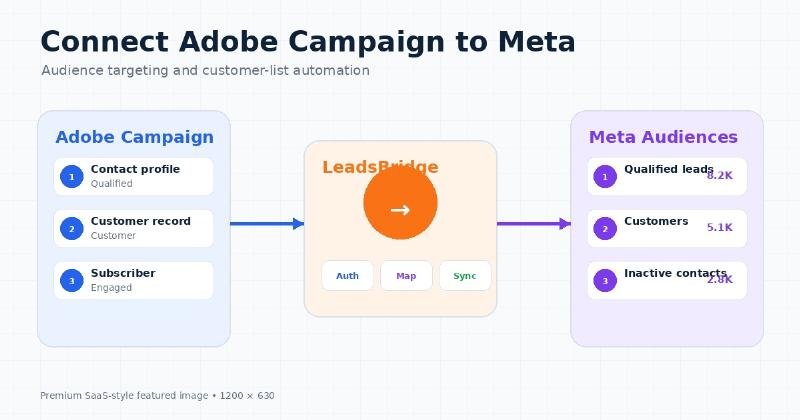

Adobe Campaign Audience Targeting by LeadsBridge: Connect Enterprise Profiles with Meta
Adobe Campaign can hold useful customer, lead and lifecycle information, but using the same groups in Meta advertising often creates repetitive operational work. Teams may export a file, clean identifiers, upload it to Meta and repeat the process whenever contacts qualify, convert, unsubscribe or move between segments.
Adobe Campaign Audience Targeting by LeadsBridge connects selected Adobe Campaign data with Meta Custom Audiences through LeadsBridge, reducing repeated manual audience maintenance when the workflow is configured correctly.
Adobe Campaign acts as the source, LeadsBridge manages the connection and Meta processes the submitted identifiers. The final audience may be used for retargeting, customer communication or exclusions where current account and campaign controls permit it.
This guide explains the platform roles, data flow, setup requirements, field considerations, benefits, limitations, pricing, privacy responsibilities, troubleshooting and measurement. It also compares the automated workflow with manual and native alternatives. Availability, features or requirements may vary. Check the current official documentation before implementation.
What Is Adobe Campaign Audience Targeting by LeadsBridge?
Adobe Campaign Audience Targeting by LeadsBridge is a third-party workflow that transfers or synchronizes selected Adobe Campaign contact information with Meta Custom Audiences. It is designed for organizations that already use Adobe Campaign and want a repeatable audience process instead of recurring spreadsheet uploads.
Adobe has ended support for legacy Service Account JWT credentials; new server-to-server implementations should use OAuth and confirm that the current LeadsBridge connector supports the required Adobe Campaign edition.
It does not replace Adobe Campaign, Meta Ads Manager, Pixel, Conversions API or the business’s own privacy and governance procedures.
About Adobe Campaign, LeadsBridge and Meta
What Is Adobe Campaign?
Adobe Campaign is a enterprise campaign-management platform used to manage profiles, subscriptions, workflows, audiences and cross-channel communications. Its data becomes useful for advertising only after the business defines an eligible audience and transfers supported identifiers through an approved method.
What Is LeadsBridge?
LeadsBridge is the third-party connection layer. It does not own the customer relationship or control Meta’s final audience matching. Its role is to execute the configured workflow, expose history and report technical errors.
What Are Meta Custom Audiences?
A Customer List Custom Audience is created from advertiser-provided identifiers. Meta attempts to match those identifiers with accounts on its technologies. The source count and matched audience count can differ.
| Platform | Primary Role | Example Responsibility |
|---|---|---|
| Adobe Campaign | enterprise campaign-management platform used to manage profiles, subscriptions, workflows, audiences and cross-channel communications | Stores or produces the source records and eligibility signals |
| LeadsBridge | Third-party integration and automation layer | Authorizes accounts, maps fields, applies logic and submits audience actions |
| Meta Custom Audiences | Customer-list audience destination | Processes identifiers and makes the audience available for eligible campaigns |
| Meta Ads Manager | Campaign-management environment | Applies the audience as targeting, suggestion or exclusion according to current controls |
Native, Third-Party and Manual Alternatives
Manual exports, Adobe-supported APIs, customer data platforms and other approved Meta partners may be alternatives.
Compare the total subscription cost, supported identifiers, removal behavior, logging, internal security review and team skill before selecting a method.
How the Integration Works
Adobe Campaign source group → LeadsBridge workflow → Meta Customer List Custom Audience → campaign action
1. Define the source audience
The team selects Adobe Campaign query populations, lists, workflow outputs or supported audience objects containing eligible profiles. The source should have a documented advertising purpose and explicit entry and removal conditions.
2. Authorize the source
The integration uses Adobe-approved OAuth Server-to-Server credentials and the product profiles required by the current connector, plus Meta authorization. Credentials and connected users should be restricted and documented.
3. Authorize Meta
The correct Meta profile, Business Portfolio and advertising account are selected. Agencies should confirm the numerical ad-account ID.
4. Select or create the audience
Choose an eligible Customer List Custom Audience and use a descriptive name containing the source, segment, region and purpose.
5. Map identifiers
Map only supported and necessary customer identifiers. Fields used to define a segment do not all need to be sent to Meta.
6. Add filters or conditions
Stop incomplete, suppressed, test, employee or otherwise unsuitable records before the destination action.
7. Configure timing
Select the current sync schedule, polling behavior or event trigger that matches the business need without creating unnecessary API or task activity.
8. Test the workflow
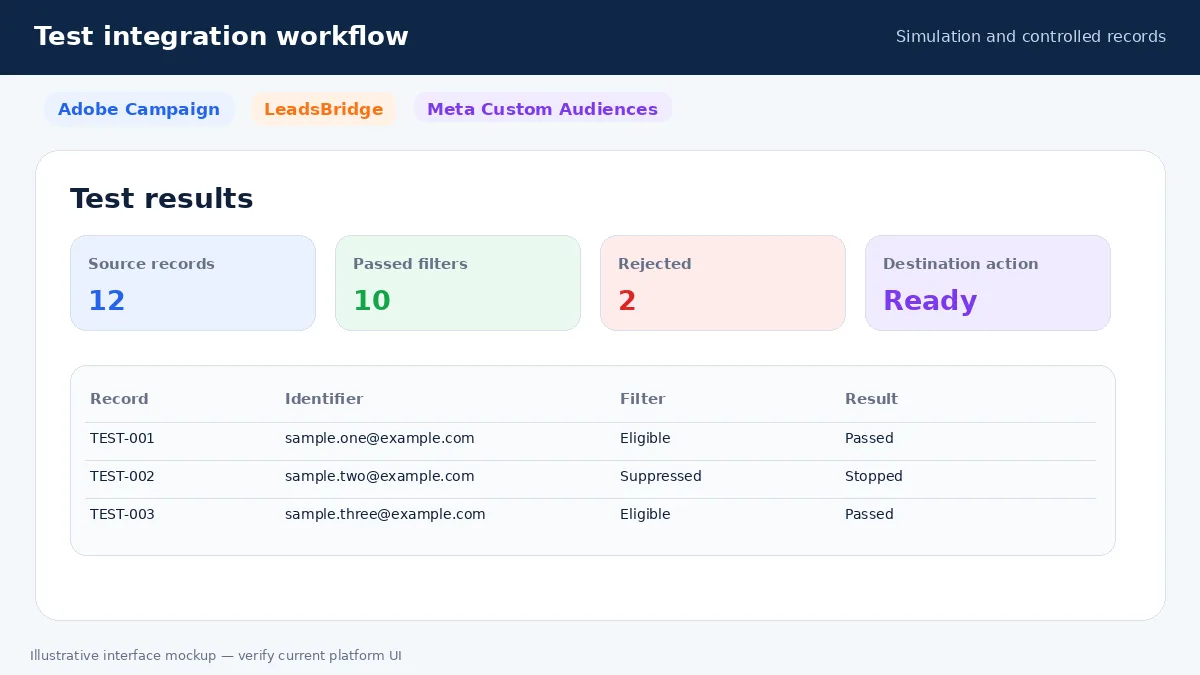
Use simulation or controlled test records to confirm source retrieval, account selection, field mapping, filters and removals.
9. Publish and process
Enable the live workflow. Meta then performs its own processing and matching, which may take additional time.
10. Monitor
Review execution history, failures, records added and removed, authorization status and Meta audience status separately from campaign results.
What Data Can Be Used?
Exact field availability depends on the current Adobe Campaign, LeadsBridge and Meta implementation. Common possibilities include:
| Information | Possible Use | Quality Requirement |
|---|---|---|
| Email address | Common customer matching identifier | Remove spaces and invalid values |
| Phone number | Additional identifier when supported | Use a consistent international format |
| First and last name | Supplementary matching information | Keep fields separate and clean |
| Country, city, region and postal code | Location context when supported | Use normalized values |
| Lifecycle stage or customer status | Controls source eligibility | Usually used for filtering rather than direct matching |
| Lead source or product interest | Routes records to the appropriate audience | Do not transfer unless the destination requires it |
| Consent or suppression status | Stops ineligible records | Must be accurate and reviewed |
| Customer value | May support eligible value-based workflows | Verify current platform support |
More fields are not automatically better. Use data minimization, remove duplicates, normalize identifiers and ensure that suppressed or objecting contacts are handled correctly.
Main Benefits
Reduced manual exports
The workflow can reduce repeated CSV creation, column mapping and audience uploads. This matters when audience membership changes every day or week. Automation does not remove the need to review source quality and execution history.
More current audiences
A recurring or event-based workflow can move changes more regularly than a manual monthly upload. The final timing still depends on the source event, integration schedule and Meta processing.
Clearer lifecycle segmentation
Prospects, qualified leads, customers, inactive contacts and event registrants can be maintained as separate groups. More segmentation is useful only when each group has a clear campaign purpose.
Customer exclusions
An updated customer audience can be applied as an exclusion from acquisition advertising. The advertiser must verify that it is configured as an exclusion rather than only an audience suggestion.
Cross-channel coordination
Email, CRM or spreadsheet lifecycle information can support complementary Meta campaigns. This can reduce conflicting messages across channels, but it does not guarantee improved performance.
Reusable mapping
Once source and destination fields are correctly mapped, future runs can reuse the configuration. Incorrect mappings can also repeat automatically, which is why testing is necessary.
Integration history
Execution logs can help teams identify missing fields, expired permissions, filtered records and plan-limit problems. A successful execution does not reveal Meta’s individual match results.
Scalable workflows
Separate audiences can be created for regions, products or lifecycle stages. Scaling also increases subscription use, governance needs and the risk of duplicated audiences.
Practical Use Cases
1. High-intent lead retargeting
Source information: contacts who requested a demonstration, consultation or important resource.
Business action: decision-stage proof, product information or a relevant next step.
Recommended exclusion: existing customers, employees and recent converters.
Important limitation: intent signals can become stale and the audience may be too small.
2. Marketing-qualified lead campaigns
Source information: profiles or rows classified as MQL.
Business action: industry-specific education, comparison content or a consultation invitation.
Recommended exclusion: customers and unsuitable sales stages.
Important limitation: qualification rules do not guarantee immediate purchase intent.
3. Existing-customer exclusion
Source information: current customers or active subscribers.
Business action: exclude them from first-purchase acquisition campaigns.
Recommended exclusion: the customer audience itself.
Important limitation: processing delay can temporarily leave recent customers exposed.
4. Customer expansion
Source information: customers eligible for a related service or upgrade.
Business action: education about a complementary product or plan.
Recommended exclusion: customers who already purchased the upgrade.
Important limitation: poor source status can make the message irrelevant.
5. Inactive-contact re-engagement
Source information: previously engaged contacts who remain eligible.
Business action: a useful new resource, event or service update.
Recommended exclusion: opt-outs and suppressed records.
Important limitation: old identifiers may match poorly.
6. Event follow-up
Source information: registrants, attendees or no-shows.
Business action: reminders, recordings or the next conversion step.
Recommended exclusion: people who already converted.
Important limitation: attendance data may arrive late.
7. Regional campaigns
Source information: eligible contacts grouped by country, language or service area.
Business action: local content or market-specific offers.
Recommended exclusion: other regions.
Important limitation: incorrect location data can route contacts incorrectly.
8. Account-based or VIP communication
Source information: contacts from target accounts or a documented loyalty tier.
Business action: industry proof, member education or event invitations.
Recommended exclusion: ineligible or sensitive groups.
Important limitation: very narrow audiences may not deliver effectively.
Requirements Before Setup
- An active Adobe Campaign account with access to the required records
- An eligible LeadsBridge account, paid plan or active trial
- A Meta Business Portfolio and advertising account
- Permission to manage the selected audience
- Accepted Meta Customer List Custom Audience Terms
- Clean and properly formatted identifiers
- A defined source audience and naming convention
- A privacy notice and appropriate lawful basis
- A documented addition and removal process
- A controlled testing and monitoring plan
Each requirement matters because the workflow crosses several platforms. Missing access, unclear eligibility or an unsuitable source group can create technical errors or inappropriate data use.
Step-by-Step Setup Guide
Step 1: Define the business purpose
Document whether the audience is for qualified-lead retargeting, customer marketing, acquisition exclusion, re-engagement or another appropriate use.
Step 2: Prepare the source group
Create or review the relevant Adobe Campaign query populations, lists, workflow outputs or supported audience objects containing eligible profiles. Remove test records, duplicates and unsuitable profiles where appropriate.
Step 3: Confirm data eligibility
Check subscription, suppression, objection and privacy rules before any record can proceed.
Step 4: Confirm account access
Verify the required Adobe Campaign access, LeadsBridge account and Meta permissions.
Step 5: Create the integration workflow
Create a new bridge or Zap and give it a descriptive name such as AdobeCampaign-QualifiedLeads-Meta.
Step 6: Select the source platform
Choose Adobe Campaign and authorize the account using the current official method.
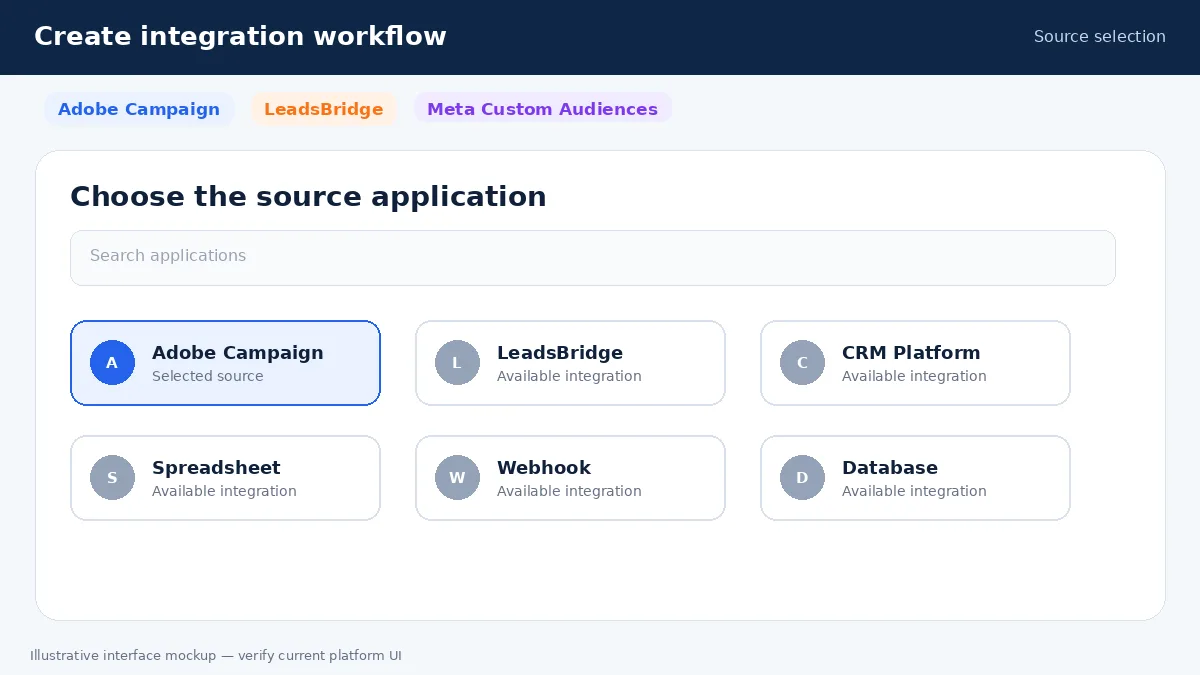
Step 7: Select the source event or object
Choose the supported object or trigger that represents membership in a supported Adobe Campaign list, query population or audience source.
Step 8: Select Meta Custom Audiences
Choose the current Facebook or Meta Custom Audiences destination and authorize the correct account.
Step 9: Verify the advertising account
Confirm the Business Portfolio, ad-account name and numerical account ID.
Step 10: Select the audience
Choose or create the correct Customer List Custom Audience and apply a clear naming convention.
Step 11: Map fields
Map supported identifiers from the source to the destination. Leave unnecessary information unmapped.
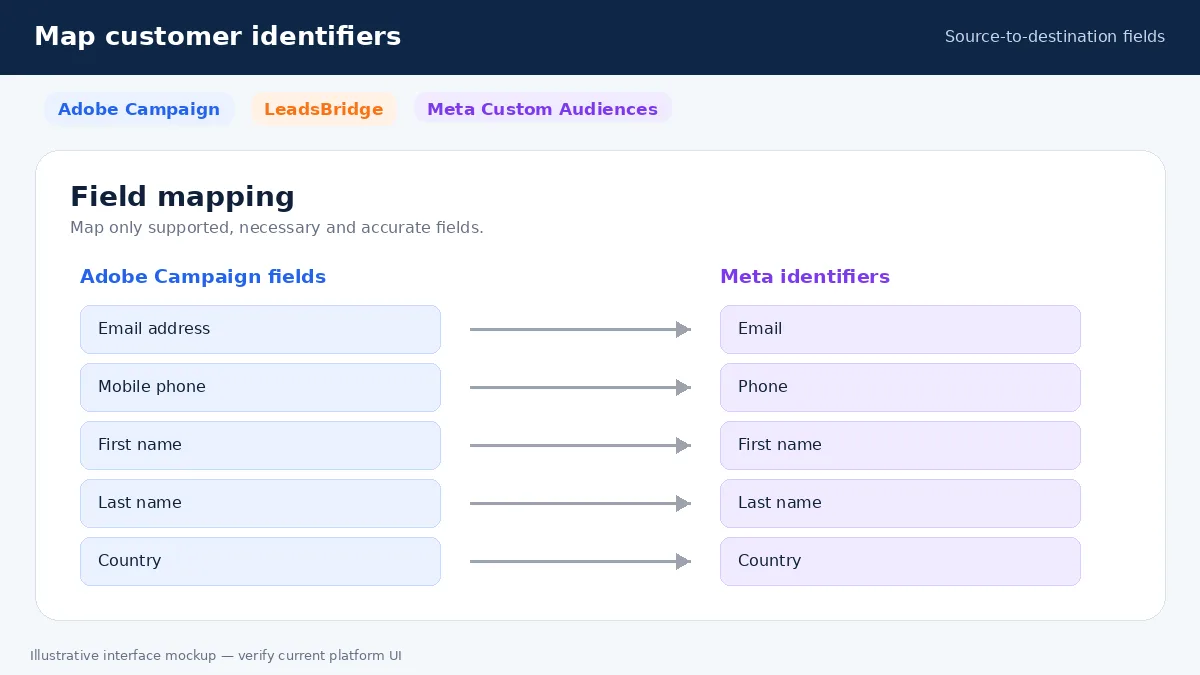
Step 12: Add filters
Require a valid identifier and the intended eligibility conditions. Stop test, suppressed and ineligible records.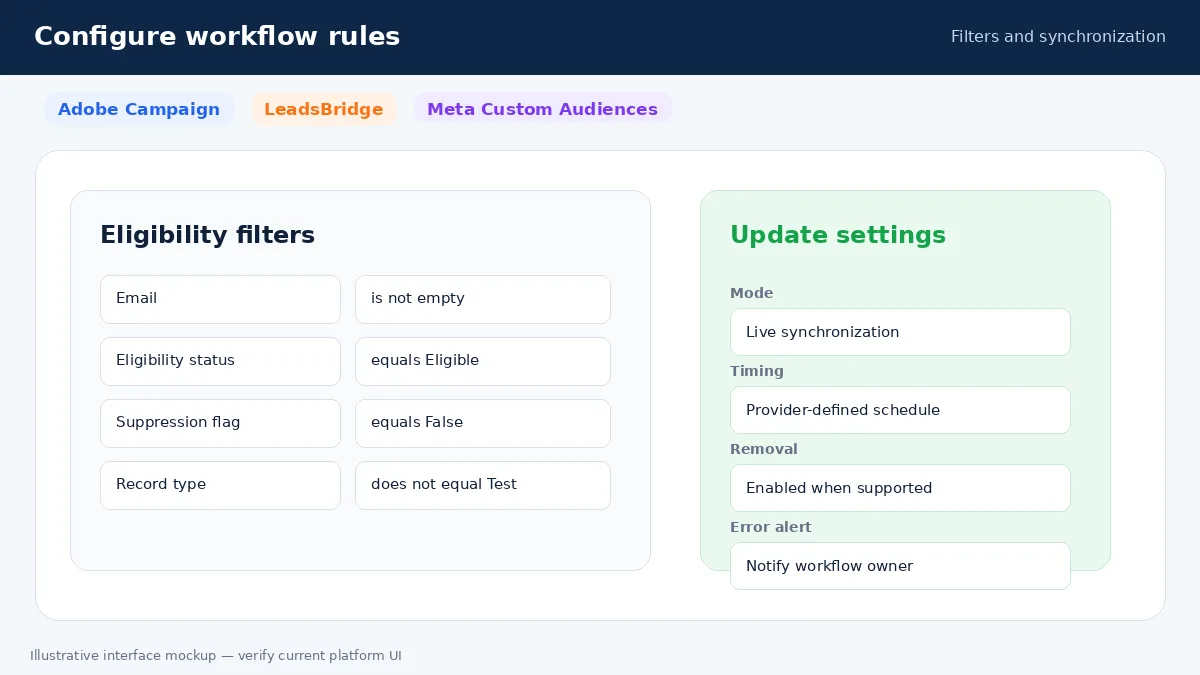
Step 13: Configure timing
Select the available schedule, polling interval or event behavior after considering data volume and processing delay.
Step 14: Test
Run a controlled addition and confirm the destination account. Then test the corresponding removal condition.
Step 15: Publish
Enable the workflow only after the test result has been reviewed.
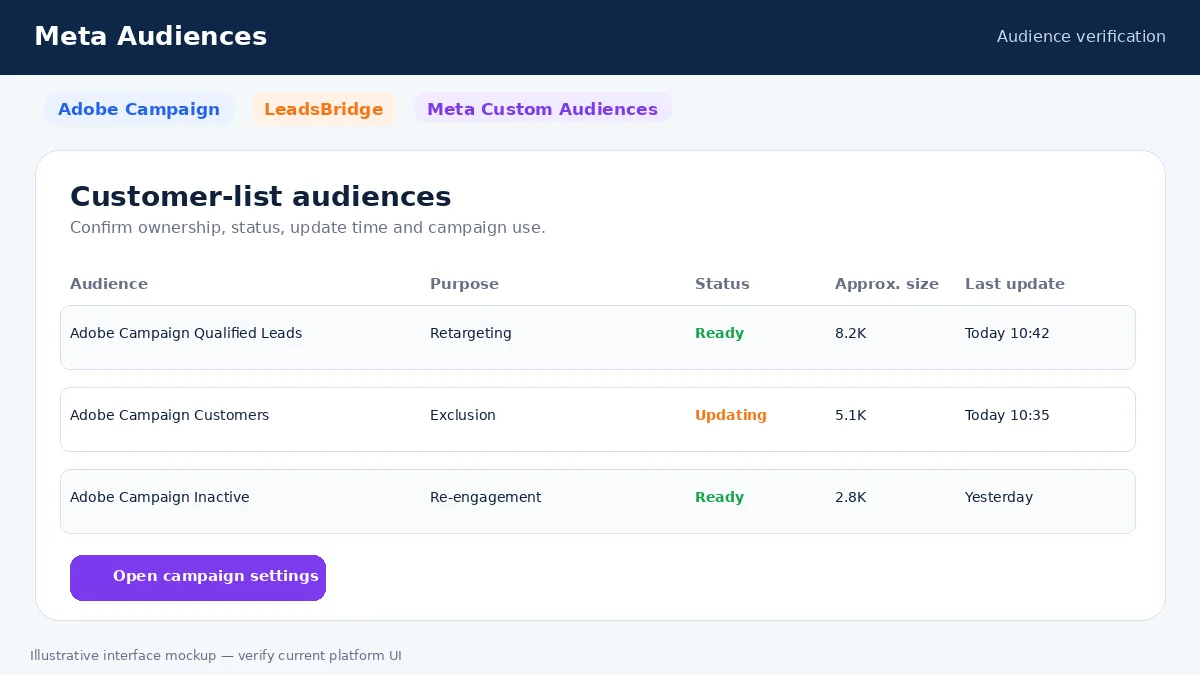
Step 16: Verify in Meta
Review audience status, ownership, update time, warnings and campaign use in Meta Ads Manager.
Free Plan, Free Trial and Paid Plans
Pricing information in this package was checked on 3 August 2026.
The LeadsBridge live pricing structure has placed Facebook Audiences under Pro, with a Business managed option for enterprise requirements. Adobe Campaign pricing is separate and generally quote-based.
| Option or Plan | General Purpose | Relevant Availability | Important Limitation |
|---|---|---|---|
| Free account | Basic access or limited lead automation | Do not assume audience synchronization is included | Free signup is not the same as permanent feature access |
| Free trial | Temporary evaluation of paid features | May allow audience workflow testing | The workflow may stop when the trial ends |
| Paid self-service plan | Ongoing integration and automation | Likely required for production audience activity | Price depends on usage, tasks, records or active workflows |
| Enterprise or managed plan | Advanced governance, onboarding or custom requirements | Useful for large organizations | Requires provider verification and higher cost |
| Adobe Campaign subscription | Source platform access | Required separately | Not included with the integration provider |
| Meta advertising | Audience processing and campaign delivery | Subject to Meta terms and account eligibility | Advertising spend is separate |
Pricing, plan names and feature limits can change. Review the current official pricing page before subscribing.
Manual Process vs Automated Integration
| Factor | Manual Method | Automated Integration |
|---|---|---|
| Initial setup | Export, format and upload a file | Authorize accounts, map fields and test |
| Ongoing maintenance | Repeat the file process | Runs through the configured workflow |
| Data freshness | Depends on the last upload | Depends on source activity and processing |
| Human error | Repeated file mistakes are possible | Configuration mistakes can repeat automatically |
| Contact removal | Requires another update | Can follow an explicit removal workflow |
| Scalability | Difficult across many audiences | Better for recurring structured groups |
| Monitoring | Internal records and Meta history | Integration history plus Meta status |
| Cost | No additional connector subscription | Paid plan may be required |
| Best use case | Small or infrequent audiences | Frequently changing audiences |
Manual uploading may still be appropriate for a one-time campaign, a very small list or a business that cannot justify another subscription. Automation is more useful when membership changes frequently and the organization can monitor the workflow.
Privacy, Consent and Data Protection
Customer-list advertising uses personal information. The business must have the necessary rights, permissions and lawful basis, provide appropriate notice, honor applicable objections and opt-outs, protect account credentials and transfer only necessary information.
Purchased, scraped or unauthorized lists should not be used. Sensitive personal information and audience labels that reveal protected characteristics require particular caution and may be prohibited.
GDPR, UK GDPR, CCPA, CPRA and other laws can create different obligations. The applicable requirements depend on the organization, the people involved and the processing purpose.
The integration does not automatically create legal compliance. Platform approval does not replace legal obligations, and professional legal advice may be required.
Best Practices
- Start with one clearly defined audience. This reduces ambiguity, improves auditability and makes errors easier to identify.
- Use clean first-party data. This reduces ambiguity, improves auditability and makes errors easier to identify.
- Remove invalid, test and duplicate records. This reduces ambiguity, improves auditability and makes errors easier to identify.
- Respect suppression and opt-out status. This reduces ambiguity, improves auditability and makes errors easier to identify.
- Use descriptive workflow and audience names. This reduces ambiguity, improves auditability and makes errors easier to identify.
- Map only necessary and supported fields. This reduces ambiguity, improves auditability and makes errors easier to identify.
- Confirm the correct Meta ad-account ID. This reduces ambiguity, improves auditability and makes errors easier to identify.
- Test additions and removals. This reduces ambiguity, improves auditability and makes errors easier to identify.
- Monitor execution history and plan usage. This reduces ambiguity, improves auditability and makes errors easier to identify.
- Document ownership, credentials and mappings. This reduces ambiguity, improves auditability and makes errors easier to identify.
- Review permissions regularly. This reduces ambiguity, improves auditability and makes errors easier to identify.
- Measure campaign results separately from technical success. This reduces ambiguity, improves auditability and makes errors easier to identify.
Common Mistakes to Avoid
Selecting the wrong Meta account
This often happens when agencies manage several clients. Verify the Business Portfolio, advertising-account name and numerical ID before testing.
Using an uncontrolled source
A master list may contain customers, prospects, employees, tests and opt-outs. Create a purpose-specific segment or filter.
Ignoring removal logic
An addition workflow without a removal workflow becomes less accurate over time. Define how a contact leaves the audience.
Mapping the wrong field
A blank or incorrect email or phone field can cause failures. Inspect sample records before publishing.
Including suppressed contacts
The presence of a contact in the source does not automatically make the advertising use appropriate. Apply consent, objection and suppression rules.
Expecting immediate processing
A successful integration run does not mean the audience is immediately available in Meta. Allow the platform processing window.
Assuming every contact matches
Meta may not match outdated, shared, incomplete or differently formatted identifiers.
Ignoring plan limits
A free signup or trial may not provide ongoing audience synchronization. Review active bridges, tasks, contacts and records moved.
Letting permissions expire
Source or Meta authorization can expire or break after staff changes. Assign ownership and review credentials regularly.
Assuming automation guarantees results
The integration can move data but cannot repair weak creative, offers, measurement or campaign strategy.
Troubleshooting
| Problem | Possible Cause | Recommended Check | Suggested Resolution |
|---|---|---|---|
| Source authentication fails | Incorrect credentials, expired authorization or insufficient access | Review source credentials and the connected user | Reconnect with current authorized credentials |
| Meta account is missing | Wrong profile or insufficient asset access | Check Business Portfolio and ad-account permissions | Grant access or reconnect the correct profile |
| Destination audience is missing | Wrong ad account, ownership or unsupported audience type | Check the audience owner and account ID | Select or create an eligible customer-list audience |
| Audience terms error | Meta Customer List Custom Audience Terms are not accepted | Review the selected ad account in Meta | Accept the applicable terms and retry |
| No records synchronize | Empty source, restrictive filter or test mode | Inspect source count, filters and simulation settings | Correct the rule and run a controlled test |
| Required field is empty | The mapped source field has no value | Review the sample record and field mapping | Map a valid field and filter blank values |
| Invalid email or phone | The source contains malformed values | Review formatting and country codes | Normalize the source data or use a supported transformation |
| Audience is smaller than source | Meta did not match every identifier | Review age, completeness and validity of identifiers | Improve legitimate first-party data without adding unnecessary fields |
| Update is delayed | Integration schedule or Meta processing is still running | Check last execution and audience status | Allow the configured interval and processing time |
| Workflow stopped after trial | The feature requires a paid plan | Review billing and feature entitlement | Upgrade or use a manual or native alternative |
| Limit reached | Tasks, records, contacts or active bridges exceeded the plan | Review account usage | Reduce unnecessary activity or change the plan |
| Unexpected contacts appear | Wrong source logic or filter | Review the qualifying conditions and sample records | Correct and retest the source rule |
| Opt-outs remain | Removal or suppression logic is incomplete | Check source eligibility and removal history | Implement and test an explicit removal process |
| Duplicate actions occur | Repeated source events or duplicate records | Review execution history and unique identifiers | Deduplicate the source and refine trigger logic |
One suggested resolution may not fix every account-specific issue. Review the complete execution history and current provider documentation before changing a production workflow.
How to Measure Success
Technical Metrics
- Successful and failed executions
- Last execution time
- Records added and removed
- Filtered or invalid records
- Authentication and API errors
- Audience processing status
- Task, record or bridge usage
Business Metrics
- Reach and frequency
- Click-through rate
- Cost per result
- Qualified leads and sales opportunities
- Conversion rate and acquisition cost
- Revenue attribution and return on ad spend
- Customer-exclusion accuracy
A technically successful workflow does not automatically mean a successful advertising campaign. Report technical health and business performance separately.
Who Should Use This Service?
- Businesses already using Adobe Campaign
- Teams managing regularly changing customer or lead groups
- Agencies maintaining several Meta audiences
- Organizations requiring current customer exclusions
- Teams coordinating owned, CRM and paid-media campaigns
- Businesses able to monitor integrations and permissions
Who May Not Need It?
- Businesses with very small or one-time lists
- Organizations without active Meta advertising
- Teams without structured source data
- Businesses lacking the required privacy permissions
- Organizations for which the subscription cost exceeds the expected value
- Teams that can safely use a simpler native or manual method
Advantages and Limitations
| Advantages | Limitations |
|---|---|
| Reduced manual work | Additional subscription cost |
| More current audience operations | Setup and permission complexity |
| Reusable mappings and filters | Dependence on source-data quality |
| Customer addition and removal workflows | Meta matching limitations |
| Integration history | Processing delays |
| Scalable audience structures | Ongoing monitoring requirements |
| Cross-channel coordination | No guaranteed campaign results |
Practical Example
This is a hypothetical example and not a verified customer case study.
A B2B service company uses Adobe Campaign to manage qualified leads, existing customers and inactive subscribers. The team previously exported three files every week and uploaded them manually to Meta.
It creates separate source groups and LeadsBridge workflows. Qualified leads enter a decision-stage audience, existing customers enter an acquisition exclusion audience and eligible inactive contacts enter a limited re-engagement audience. The company also tests the removal process when a lead converts, unsubscribes or loses eligibility.
The operational benefit is a more consistent audience-maintenance process. The main limitation is the additional subscription, monitoring and dependence on Meta matching. Before launch, the company confirms permissions, privacy notices, source accuracy and the correct Meta advertising account.
Final Thoughts
Adobe Campaign Audience Targeting by LeadsBridge can create a repeatable connection between Adobe Campaign lifecycle data and Meta customer-list audiences. Its strongest practical benefit is reducing repeated audience-file maintenance while supporting clearer additions, removals and exclusions.
The main limitation is that the workflow depends on several platforms, permissions and subscription rules. Meta still controls matching and delivery, and the integration cannot guarantee business results.
Review source eligibility, privacy responsibilities, current plan availability and the removal process before publishing. Begin with one controlled audience, verify the full workflow and expand only after the technical history and campaign use have been reviewed.
A dependable audience workflow defines who enters, who leaves, which identifiers are used and who is responsible for monitoring every connected platform.
Frequently Asked Questions
What is Adobe Campaign Audience Targeting by LeadsBridge?
It is a third-party integration workflow that connects selected Adobe Campaign data with Meta Custom Audiences. Adobe Campaign provides the source records, LeadsBridge performs the configured transfer, and Meta performs final matching and audience processing.
Is the integration free?
A free account, free trial and ongoing audience synchronization are not the same. The LeadsBridge live pricing structure has placed Facebook Audiences under Pro, with a Business managed option for enterprise requirements. Adobe Campaign pricing is separate and generally quote-based. Pricing and feature eligibility should be verified in the live provider dashboard before production use.
What accounts are required?
The business normally needs an active Adobe Campaign account, an eligible LeadsBridge account, a Meta Business Portfolio, a Meta advertising account, sufficient permissions and accepted Customer List Custom Audience Terms.
What information can be used?
Common matching information may include email, phone, name and location fields when supported. Exact fields vary. Internal fields such as lifecycle stage or customer status may control eligibility without being sent as matching identifiers.
How quickly does it update?
Timing depends on membership in a supported Adobe Campaign list, query population or audience source, the integration schedule or polling behavior and Meta processing. A successful run does not make the audience immediately ready for campaign delivery.
Why is the audience smaller than the source?
Meta may not match every submitted identifier. People can use different contact details, and source records may be old, duplicated, incomplete or incorrectly formatted.
Can customers be excluded from acquisition ads?
Yes, a synchronized customer audience can be selected as an exclusion where the current campaign interface supports it. The advertiser should verify the exclusion control and update timing.
Can contacts be removed automatically?
Removal may be supported through source membership changes, a separate removal action or an explicit workflow. The behavior should be tested with controlled records rather than assumed.
Does the integration replace Pixel or Conversions API?
No. Customer-list audience synchronization handles CRM or customer identifiers. Pixel and Conversions API handle website or server event data and campaign optimization.
Is the workflow legally compliant automatically?
No. Using an integration does not establish compliance. The business remains responsible for lawful collection, notice, permissions, opt-outs, security and applicable regional obligations.
What happens when the integration is disconnected?
Future updates should stop, while the existing Meta audience may remain with its last processed membership. Campaigns using it should be reviewed so they do not rely on stale data.
Does the integration guarantee better results?
No. It may reduce manual work and improve operational consistency, but performance still depends on audience quality, campaign objective, creative, offer, budget, measurement and Meta delivery.
Sources and verification notes https://leadsbridge.com/documentation/adobe-campaign/facebook-custom-audiences/ https://developer.adobe.com/developer-console/docs/guides/authentication/ServerToServerAuthentication/ https://www.facebook.com/legal/terms/customaudience/update

